Saturday, 16 June 2018

RESTful API with Node.js on Oracle Application Container Cloud

Oracle Application Container Cloud Service: Building a RESTful API with Node.js and Express

Purpose

This tutorial shows you how to develop a RESTful API in Node.js using the Express framework and an Oracle Database Cloud Service instance to deploy it in Oracle Application Container Cloud Service.

This article describes how a simple Node.js application is configured for deployment on the Oracle Application Container Cloud and how it leverages the node-oracledb database driver that allows Node.js applications to easily connect to an Oracle Database. From the Application Container Cloud, the application discussed uses a cloud Service Binding to access a DBaaS instance also running on the Oracle Public Cloud. The Node.js application returns a JSON message containing details about employee in the EMPLOYEE table in the HR schema of the DBaaS instance. The Node.js application itself is very rudimentary. The way it handles the HTTP requests is quite simplistic. It does not leverage most common practices in Node.js or JavaScript. It does not handle bind parameters in the queries nor does it interpret URL path parameters or query parameters.

Time to Complete

45 minutes

Background

Express is a Node.js web application framework that provides a robust set of features to develop web and mobile applications. It facilitates a rapid development of Node based Web applications.

Scenario

In this tutorial, you build a basic RESTful API that implements the CRUD (Create, Read, Update, and Delete) operations on an employee table in a Oracle Database Cloud Service instance using plain Node.js and the Express framework.
The Node.js RESTful application responds to the following endpoints:
PathDescription
GET: /employeesGets all the employees.
GET: /employees/{searchType}/{searchValue}Gets the employees that match the search criteria.
POST: /employeesAdds an employee.
PUT: /employees/{id}Updates an employee.
DELETE: /employees/{id}Removes an employee.
Copy the following script into the SQL worksheet to create the EMPLOYEE table and the sequence named EMPLOYEE_SEQ:
CREATE TABLE EMPLOYEE (
      ID INTEGER NOT NULL,
      FIRSTNAME VARCHAR(255),
      LASTNAME VARCHAR(255),
      EMAIL VARCHAR(255),
      PHONE VARCHAR(255),
      BIRTHDATE VARCHAR(10),
      TITLE VARCHAR(255),
      DEPARTMENT VARCHAR(255),
      PRIMARY KEY (ID)
   ); 


CREATE SEQUENCE EMPLOYEE_SEQ
 START WITH     100
 INCREMENT BY   1; 


  1. Click Run Script.
    SQL Worksheet - Run Statement
    Description of this image
  2. Click Commit.
    SQL Worksheet - Commit
    Description of this image
  3. Copy the following script into the SQL worksheet to insert five employees, click Run Script, and then click Commit.
    INSERT INTO EMPLOYEE (ID, FIRSTNAME, LASTNAME, EMAIL, PHONE, BIRTHDATE, TITLE, DEPARTMENT) VALUES (EMPLOYEE_SEQ.nextVal, 'Hugh', 'Jast', 'Hugh.Jast@example.com', '730-715-4446', '1970-11-28' , 'National Data Strategist', 'Mobility'); 
    INSERT INTO EMPLOYEE (ID, FIRSTNAME, LASTNAME, EMAIL, PHONE, BIRTHDATE, TITLE, DEPARTMENT) VALUES (EMPLOYEE_SEQ.nextVal, 'Toy', 'Herzog', 'Toy.Herzog@example.com', '769-569-1789','1961-08-08', 'Dynamic Operations Manager', 'Paradigm'); 
    INSERT INTO EMPLOYEE (ID, FIRSTNAME, LASTNAME, EMAIL, PHONE, BIRTHDATE, TITLE, DEPARTMENT) VALUES (EMPLOYEE_SEQ.nextVal, 'Reed', 'Hahn', 'Reed.Hahn@example.com', '429-071-2018', '1977-02-05', 'Future Directives Facilitator', 'Quality'); 
    INSERT INTO EMPLOYEE (ID, FIRSTNAME, LASTNAME, EMAIL, PHONE, BIRTHDATE, TITLE, DEPARTMENT) VALUES (EMPLOYEE_SEQ.nextVal, 'Novella', 'Bahringer', 'Novella.Bahringer@example.com', '293-596-3547', '1961-07-25' , 'Principal Factors Architect', 'Division'); 
    INSERT INTO EMPLOYEE (ID, FIRSTNAME, LASTNAME, EMAIL, PHONE, BIRTHDATE, TITLE, DEPARTMENT) VALUES (EMPLOYEE_SEQ.nextVal, 'Zora', 'Sawayn', 'Zora.Sawayn@example.com', '923-814-0502', '1978-03-18' , 'Dynamic Marketing Designer', 'Security'); 
 

Developing the REST Server

In this section, you create the REST Service and you use the NPM utility to download and build dependencies for your Node.js project.
  1. Open a console window and go to the folder where you want to store the Node.js application server.
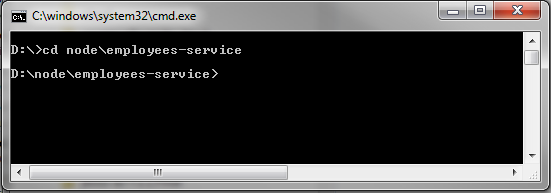
    Console window - open folder
    Description of this image
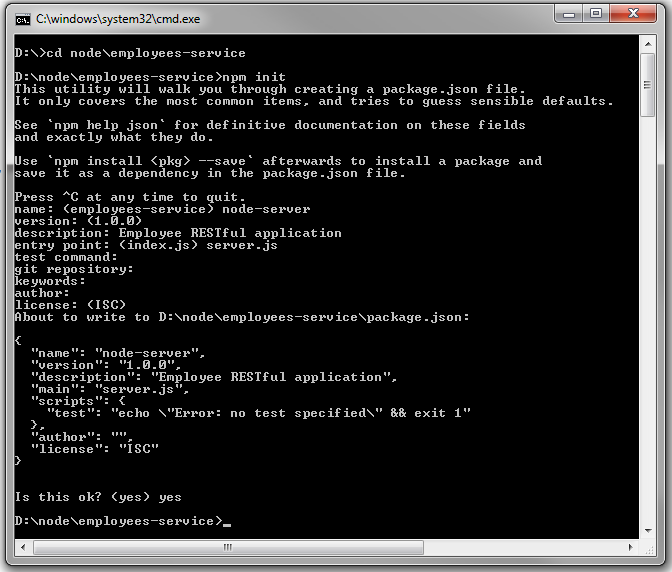
  2. Run npm init to create the package.json file. At the prompt, enter the following values, confirm the values, and then press Enter:
    • Name: node-server
    • Version: 1.0.0 (or press Enter.)
    • Description: Employee RESTful application
    • Entry point: server.js
    • Test command (Press Enter.)
    • Git repository (Press Enter.)
    • Keywords (Press Enter.)
    • Author (Enter your name or email address.)
    • License (Press Enter.)
    Console window – create package.json
    Description of this image
    The package.json file is created and stored in the current folder. You can open it and modify it, if needed.
  3. In the console window, download, build, and add the Express framework dependency:
    npm install --save express
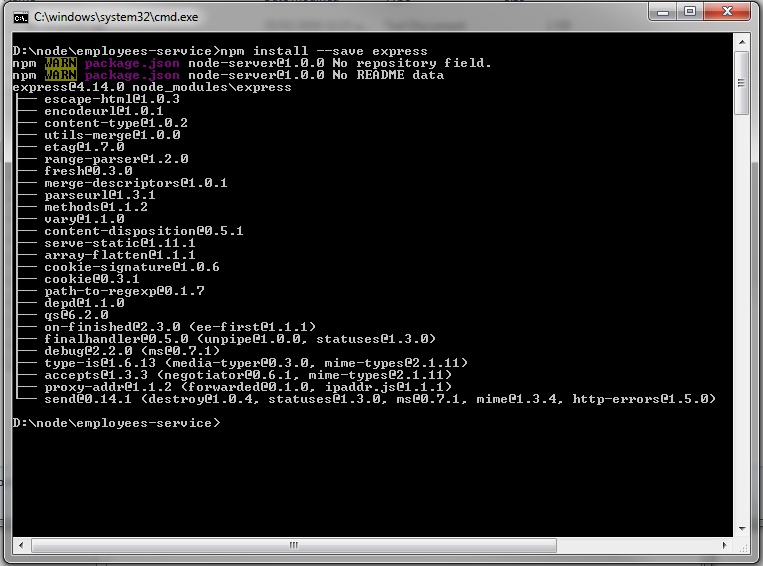
    Console window - add Express framework dependency
    Description of this image
  4. In the console window, install the body-parser dependency:
    npm install --save body-parser
    The body-parser dependency is a Node.js middleware for handling JSON, Raw, Text and URL encoded form data.
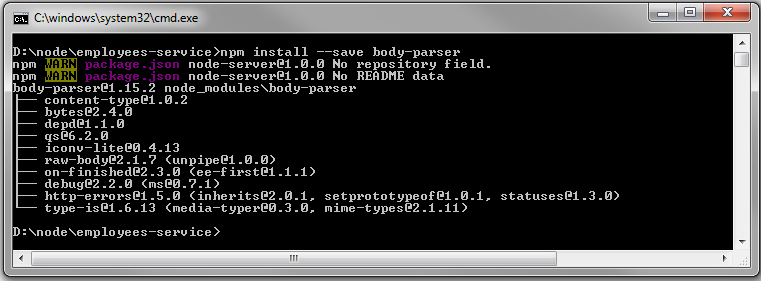
    Console window - install body-parse dependency
    Description of this image
    Note: If the console displays optional, dep failed or continuing output, ignore it. The output pertains to warnings or errors caused by dependencies on native binaries that couldn't be built. The libraries being used often have a JavaScript fallback node library, and native binaries are used only to optimize performance.
  5. Open the generated package.json file in a text editor, and verify its contents. It should look like this:

    {
      "name": "node-server",
      "version": "1.0.0",
      "description": "Employee RESTful application",
      "main": "server.js",
      "scripts": {
        "test": "echo \"Error: no test specified\" && exit 1",
        "start": "node server.js"
      },
      "author": "",
      "license": "ISC",
      "dependencies": {
        "body-parser": "^1.14.1",
        "express": "^4.13.3"
      }
    }
  6. Create a server.js file, open it in a text editor, and add the following require statements to use the node dependencies and the oracledb server component:
    var express = require('express');
    var bodyParser = require('body-parser');
    var oracledb = require('oracledb');
  7. Add a PORT variable equal either to the process.env.PORT environment variable or to 8089, if the environment variable isn't set:
    The PORT environment variable is set automatically by Oracle Application Container Cloud Service.
    var PORT = process.env.PORT || 8089;
  8. Create an app variable to use the express method:
    var app = express();
  9. Store the database connection properties that are equal to environment variables or defaults:
    The environment variables listed are set in Oracle Application Container Cloud Service automatically when you add the Database Cloud Service binding.
    var connectionProperties = {
      user: process.env.DBAAS_USER_NAME || "oracle",
      password: process.env.DBAAS_USER_PASSWORD || "oracle",
      connectString: process.env.DBAAS_DEFAULT_CONNECT_DESCRIPTOR || "localhost/xe"
    };
  10. Create the doRelease method to release the database connection:
    function doRelease(connection) {
      connection.release(function (err) {
        if (err) {
          console.error(err.message);
        }
      });
    }
  11. Configure your application to use bodyParser(), so that you can get the data from a POST request:
    // configure app to use bodyParser()
    // this will let us get the data from a POST
    app.use(bodyParser.urlencoded({ extended: true }));
    app.use(bodyParser.json({ type: '*/*' }));
  12. Create a router object and assign it to the router variable:
    var router = express.Router();
  13. Add the following response headers to support calls from external clients:
    Note: Browsers and applications usually prevent calling REST services from different sources. If you run the client on Server A and the REST services on Server B, then you must provide a list of known clients in Server B by using the Access-Control headers. Clients check these headers to allow invocation of a service and prevent cross-site scripting attacks (XSS).
    router.use(function (request, response, next) {
      console.log("REQUEST:" + request.method + "   " + request.url);
      console.log("BODY:" + JSON.stringify(request.body));
      response.setHeader('Access-Control-Allow-Origin', '*');
      response.setHeader('Access-Control-Allow-Methods', 'GET, POST, OPTIONS, PUT, PATCH, DELETE');
      response.setHeader('Access-Control-Allow-Headers', 'X-Requested-With,content-type');
      response.setHeader('Access-Control-Allow-Credentials', true);
      next();
    });
  14. Create the GET method to get the list of employees:

    /**
     * GET / 
     * Returns a list of employees 
     */
    router.route('/employees/').get(function (request, response) {
      console.log("GET EMPLOYEES");
      oracledb.getConnection(connectionProperties, function (err, connection) {
        if (err) {
          console.error(err.message);
          response.status(500).send("Error connecting to DB");
          return;
        }
        console.log("After connection");
        connection.execute("SELECT * FROM employee",{},
          { outFormat: oracledb.OBJECT },
          function (err, result) {
            if (err) {
              console.error(err.message);
              response.status(500).send("Error getting data from DB");
              doRelease(connection);
              return;
            }
            console.log("RESULTSET:" + JSON.stringify(result));
            var employees = [];
            result.rows.forEach(function (element) {
              employees.push({ id: element.ID, firstName: element.FIRSTNAME, 
                               lastName: element.LASTNAME, email: element.EMAIL, 
                               phone: element.PHONE, birthDate: element.BIRTHDATE, 
                               title: element.TITLE, dept: element.DEPARTMENT });
            }, this);
            response.json(employees);
            doRelease(connection);
          });
      });
    });
  15. Create the GET method to return the list of employees that match the criteria.
    /**
     * GET /searchType/searchValue 
     * Returns a list of employees that match the criteria 
     */
    router.route('/employees/:searchType/:searchValue').get(function (request, response) {
      console.log("GET EMPLOYEES BY CRITERIA");
      oracledb.getConnection(connectionProperties, function (err, connection) {
        if (err) {
          console.error(err.message);
          response.status(500).send("Error connecting to DB");
          return;
        }
     console.log("After connection");
     var searchType = request.params.searchType;
     var searchValue = request.params.searchValue;
       
        connection.execute("SELECT * FROM employee WHERE "+searchType+" = :searchValue",[searchValue],
          { outFormat: oracledb.OBJECT },
          function (err, result) {
            if (err) {
              console.error(err.message);
              response.status(500).send("Error getting data from DB");
              doRelease(connection);
              return;
            }
            console.log("RESULTSET:" + JSON.stringify(result));
            var employees = [];
            result.rows.forEach(function (element) {
              employees.push({ id: element.ID, firstName: element.FIRSTNAME, 
                         lastName: element.LASTNAME, email: element.EMAIL, 
                         phone: element.PHONE, birthDate: element.BIRTHDATE, 
             title: element.TITLE, dept: element.DEPARTMENT });
            }, this);
            response.json(employees);
            doRelease(connection);
          });
      });
    }); 
  16. Create the POST method to add employees:

    /**
     * POST / 
     * Saves a new employee 
     */
    router.route('/employees/').post(function (request, response) {
      console.log("POST EMPLOYEE:");
      oracledb.getConnection(connectionProperties, function (err, connection) {
        if (err) {
          console.error(err.message);
          response.status(500).send("Error connecting to DB");
          return;
        }
    
        var body = request.body;
    
        connection.execute("INSERT INTO EMPLOYEE (ID, FIRSTNAME, LASTNAME, EMAIL, PHONE, BIRTHDATE, TITLE, DEPARTMENT)"+ 
                           "VALUES(EMPLOYEE_SEQ.NEXTVAL, :firstName,:lastName,:email,:phone,:birthdate,:title,:department)",
          [body.firstName, body.lastName, body.email, body.phone, body.birthDate, body.title,  body.dept],
          function (err, result) {
            if (err) {
              console.error(err.message);
              response.status(500).send("Error saving employee to DB");
              doRelease(connection);
              return;
            }
            response.end();
            doRelease(connection);
          });
      });
    });
  17. Create the PUT method to update the employee by ID:

    /**
     * PUT / 
     * Update a employee 
     */
    router.route('/employees/:id').put(function (request, response) {
      console.log("PUT EMPLOYEE:");
      oracledb.getConnection(connectionProperties, function (err, connection) {
        if (err) {
          console.error(err.message);
          response.status(500).send("Error connecting to DB");
          return;
        }
    
        var body = request.body;
        var id = request.params.id;
    
        connection.execute("UPDATE EMPLOYEE SET FIRSTNAME=:firstName, LASTNAME=:lastName, PHONE=:phone, BIRTHDATE=:birthdate,"+
                           " TITLE=:title, DEPARTMENT=:department, EMAIL=:email WHERE ID=:id",
          [body.firstName, body.lastName,body.phone, body.birthDate, body.title, body.dept, body.email,  id],
          function (err, result) {
            if (err) {
              console.error(err.message);
              response.status(500).send("Error updating employee to DB");
              doRelease(connection);
              return;
            }
            response.end();
            doRelease(connection);
          });
      });
    });
  18. Create the DELETE method to remove employees by ID:

    /**
     * DELETE / 
     * Delete a employee 
     */
    router.route('/employees/:id').delete(function (request, response) {
      console.log("DELETE EMPLOYEE ID:"+request.params.id);
      oracledb.getConnection(connectionProperties, function (err, connection) {
        if (err) {
          console.error(err.message);
          response.status(500).send("Error connecting to DB");
          return;
        }
    
        var body = request.body;
        var id = request.params.id;
        connection.execute("DELETE FROM EMPLOYEE WHERE ID = :id",
          [id],
          function (err, result) {
            if (err) {
              console.error(err.message);
              response.status(500).send("Error deleting employee to DB");
              doRelease(connection);
              return;
            }
            response.end();
            doRelease(connection);
          });
      });
    });
  19. Set up and start the server:
    app.use(express.static('static'));
    app.use('/', router);
    app.listen(PORT);
The completed server.js should look like this:
var express = require('express');
var app = express();
var bodyParser = require('body-parser');

var oracledb = require('oracledb');
oracledb.autoCommit = true;

var connectionProperties = {
  user: process.env.DBAAS_USER_NAME || "oracle",
  password: process.env.DBAAS_USER_PASSWORD || "oracle",
  connectString: process.env.DBAAS_DEFAULT_CONNECT_DESCRIPTOR || "129.152.132.76:1521/ORCL"
};

function doRelease(connection) {
  connection.release(function (err) {
    if (err) {
      console.error(err.message);
    }
  });
}

// configure app to use bodyParser()
// this will let us get the data from a POST
app.use(bodyParser.urlencoded({ extended: true }));
app.use(bodyParser.json({ type: '*/*' }));

var PORT = process.env.PORT || 8089;

var router = express.Router();

router.use(function (request, response, next) {
  console.log("REQUEST:" + request.method + "   " + request.url);
  console.log("BODY:" + JSON.stringify(request.body));
  response.setHeader('Access-Control-Allow-Origin', '*');
  response.setHeader('Access-Control-Allow-Methods', 'GET, POST, OPTIONS, PUT, PATCH, DELETE');
  response.setHeader('Access-Control-Allow-Headers', 'X-Requested-With,content-type');
  response.setHeader('Access-Control-Allow-Credentials', true);
  next();
});

/**
 * GET / 
 * Returns a list of employees 
 */
router.route('/employees/').get(function (request, response) {
  console.log("GET EMPLOYEES");
  oracledb.getConnection(connectionProperties, function (err, connection) {
    if (err) {
      console.error(err.message);
      response.status(500).send("Error connecting to DB");
      return;ins
    }
    console.log("After connection");
    connection.execute("SELECT * FROM employee",{},
      { outFormat: oracledb.OBJECT },
      function (err, result) {
        if (err) {
          console.error(err.message);
          response.status(500).send("Error getting data from DB");
          doRelease(connection);
          return;
        }
        console.log("RESULTSET:" + JSON.stringify(result));
        var employees = [];
        result.rows.forEach(function (element) {
          employees.push({ id: element.ID, firstName: element.FIRSTNAME, 
                           lastName: element.LASTNAME, email: element.EMAIL, 
                           phone: element.PHONE, birthDate: element.BIRTHDATE, 
                           title: element.TITLE, dept: element.DEPARTMENT });
        }, this);
        response.json(employees);
        doRelease(connection);
      });
  });
});

/**
 * GET /searchType/searchValue 
 * Returns a list of employees that match the criteria 
 */
router.route('/employees/:searchType/:searchValue').get(function (request, response) {
  console.log("GET EMPLOYEES BY CRITERIA");
  oracledb.getConnection(connectionProperties, function (err, connection) {
    if (err) {
      console.error(err.message);
      response.status(500).send("Error connecting to DB");
      return;
    }
    console.log("After connection");
    var searchType = request.params.searchType;
    var searchValue = request.params.searchValue;
      
    connection.execute("SELECT * FROM employee WHERE "+searchType+" = :searchValue",[searchValue],
      { outFormat: oracledb.OBJECT },
      function (err, result) {
        if (err) {
          console.error(err.message);
          response.status(500).send("Error getting data from DB");
          doRelease(connection);
          return;
        }
        console.log("RESULTSET:" + JSON.stringify(result));
        var employees = [];
        result.rows.forEach(function (element) {
          employees.push({ id: element.ID, firstName: element.FIRSTNAME, 
                           lastName: element.LASTNAME, email: element.EMAIL, 
                           phone: element.PHONE, birthDate: element.BIRTHDATE, 
                           title: element.TITLE, dept: element.DEPARTMENT });
        }, this);
        response.json(employees);
        doRelease(connection);
      });
  });
});

/**
 * POST / 
 * Saves a new employee 
 */
router.route('/employees/').post(function (request, response) {
  console.log("POST EMPLOYEE:");
  oracledb.getConnection(connectionProperties, function (err, connection) {
    if (err) {
      console.error(err.message);
      response.status(500).send("Error connecting to DB");
      return;
    }

    var body = request.body;

    connection.execute("INSERT INTO EMPLOYEE (ID, FIRSTNAME, LASTNAME, EMAIL, PHONE, BIRTHDATE, TITLE, DEPARTMENT)"+ 
                       "VALUES(EMPLOYEE_SEQ.NEXTVAL, :firstName,:lastName,:email,:phone,:birthdate,:title,:department)",
      [body.firstName, body.lastName, body.email, body.phone, body.birthDate, body.title,  body.dept],
      function (err, result) {
        if (err) {
          console.error(err.message);
          response.status(500).send("Error saving employee to DB");
          doRelease(connection);
          return;
        }
        response.end();
        doRelease(connection);
      });
  });
});

/**
 * PUT / 
 * Update a employee 
 */
router.route('/employees/:id').put(function (request, response) {
  console.log("PUT EMPLOYEE:");
  oracledb.getConnection(connectionProperties, function (err, connection) {
    if (err) {
      console.error(err.message);
      response.status(500).send("Error connecting to DB");
      return;
    }

    var body = request.body;
    var id = request.params.id;

    connection.execute("UPDATE EMPLOYEE SET FIRSTNAME=:firstName, LASTNAME=:lastName, PHONE=:phone, BIRTHDATE=:birthdate,"+
                       " TITLE=:title, DEPARTMENT=:department, EMAIL=:email WHERE ID=:id",
      [body.firstName, body.lastName,body.phone, body.birthDate, body.title, body.dept, body.email,  id],
      function (err, result) {
        if (err) {
          console.error(err.message);
          response.status(500).send("Error updating employee to DB");
          doRelease(connection);
          return;
        }
        response.end();
        doRelease(connection);
      });
  });
});


/**
 * DELETE / 
 * Delete a employee 
 */
router.route('/employees/:id').delete(function (request, response) {
  console.log("DELETE EMPLOYEE ID:"+request.params.id);
  oracledb.getConnection(connectionProperties, function (err, connection) {
    if (err) {
      console.error(err.message);
      response.status(500).send("Error connecting to DB");
      return;
    }

    var body = request.body;
    var id = request.params.id;
    connection.execute("DELETE FROM EMPLOYEE WHERE ID = :id",
      [id],
      function (err, result) {
        if (err) {
          console.error(err.message);
          response.status(500).send("Error deleting employee to DB");
          doRelease(connection);
          return;
        }
        response.end();
        doRelease(connection);
      });
  });
});

app.use(express.static('static'));
app.use('/', router);
app.listen(PORT);
                        

Preparing the Node.js Server Application for Cloud Deployment

To ensure that your server application runs correctly in the cloud, you must:
  • Bundle the application in a .zip file that includes all dependencies. 
    Note: Don't bundle database drivers for Oracle Enterprise Cloud Service.
  • Include a manifest.json file that specifies the command which Oracle Application Container Cloud Service should run.
  • Ensure your application listens to requests on a port provided by the PORT environment variable. Oracle Application Container Cloud Service uses this port to redirect requests made to your application.


Creating the manifest.json File

When you upload your application to Oracle Application Container Cloud Service using the user interface, you must include a file called manifest.json in the application archive (.zip, .tgz, .tar.gz file). If you use the REST API to upload the application, this file is still required but doesn’t have to be in the archive.
  1. Create a manifest.json file.
  2. Open the manifest.json file in a text editor and add the following content:
    {
      "runtime":{
        "majorVersion":"8"
      },
      "command": "node server.js",
      "release": {},
      "notes": ""
    }
    The manifest.json file contains the target platform and the command to be run.
  3. Compress all the project files including the manifest.json file and the node_modules folder in a file named node-app-db.zip. Make sure that the node_modules folder doesn't have an OracleDB subfolder.

Deploying the Application to Oracle Application Container Cloud Service


To deploy the application to Oracle Application Container Cloud Service, use the node-app-db.zip file that you created in the previous section.
  1. Log in to Oracle Cloud at http://cloud.oracle.com/. Enter the identity domain, user name, and password for your account.
    Oracle Cloud login page
    Description of this image
  2. Click Service Console to open the Oracle Application Container Cloud Service console.
    Instance of Oracle Application Container Cloud Service
    Description of this image
  3. In the Applications list view, click Create Application and select Node.
    Oracle Application Container Cloud Service home
    Description of this image
  4. In the Application section, enter a name for your application, select Upload application archive, and click Browse.
    Create Application dialog box
    Description of this image
  5. On the File Upload page, select the node-app-db.zip file, and click Open. After a short delay, the application is verified.
    File Upload dialog box
    Description of this image
  6. In the Application section, enter Simple Rest Service that implements HTTP POST and HTTP Get methods in the Notes field and click Create.
    Create Application dialog box
    Description of this image
  7. When the confirmation dialog box is displayed, click OK.
    Confirmation dialog box
    Description of this image
    Your application could take a few minutes to deploy.

Testing the REST service

  1. Open a web browser and enter the URL of the employee REST service.
    Note: Replace identity-domain with the entity domain of your cloud account.
    URL:
    https://employees-service-identity-domain.apaas.us2.oraclecloud.com/employees
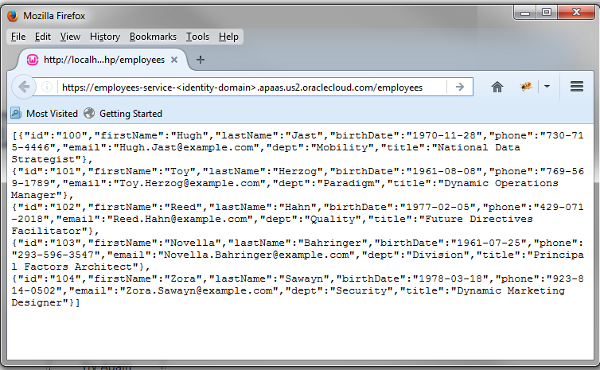
    Firefox window - Employees Service
Note: If you would like to test your on service over the local machine then You need to follow below steps to run the same code over the machine.

  • Install Oracledb driver where your folder is reside.
Command to install Oracle driver:  npm install oracledb
  • Set the Instantclient path inside the enviroment variable. Before setting the path you need to download the oracle instant client from oracle site and extract to the any folder where you want to run your application.


  • Now Run your application. Node server.js

Additional information:  Code to know the server address where your application is hosted over the local machine. You need to just add the code in the end to know the details of the server.


var server = app.listen(3000, function () {

    "use strict";


var host = server.address().address,
        port = server.address().port;

    console.log(' Server is listening at http://%s:%s', host, port);
});

After adding this 5 line code. Just run the script.


No comments:

Post a Comment

Thanks for the comments. I`ll get back to you shortly.

Regards
Tushar